
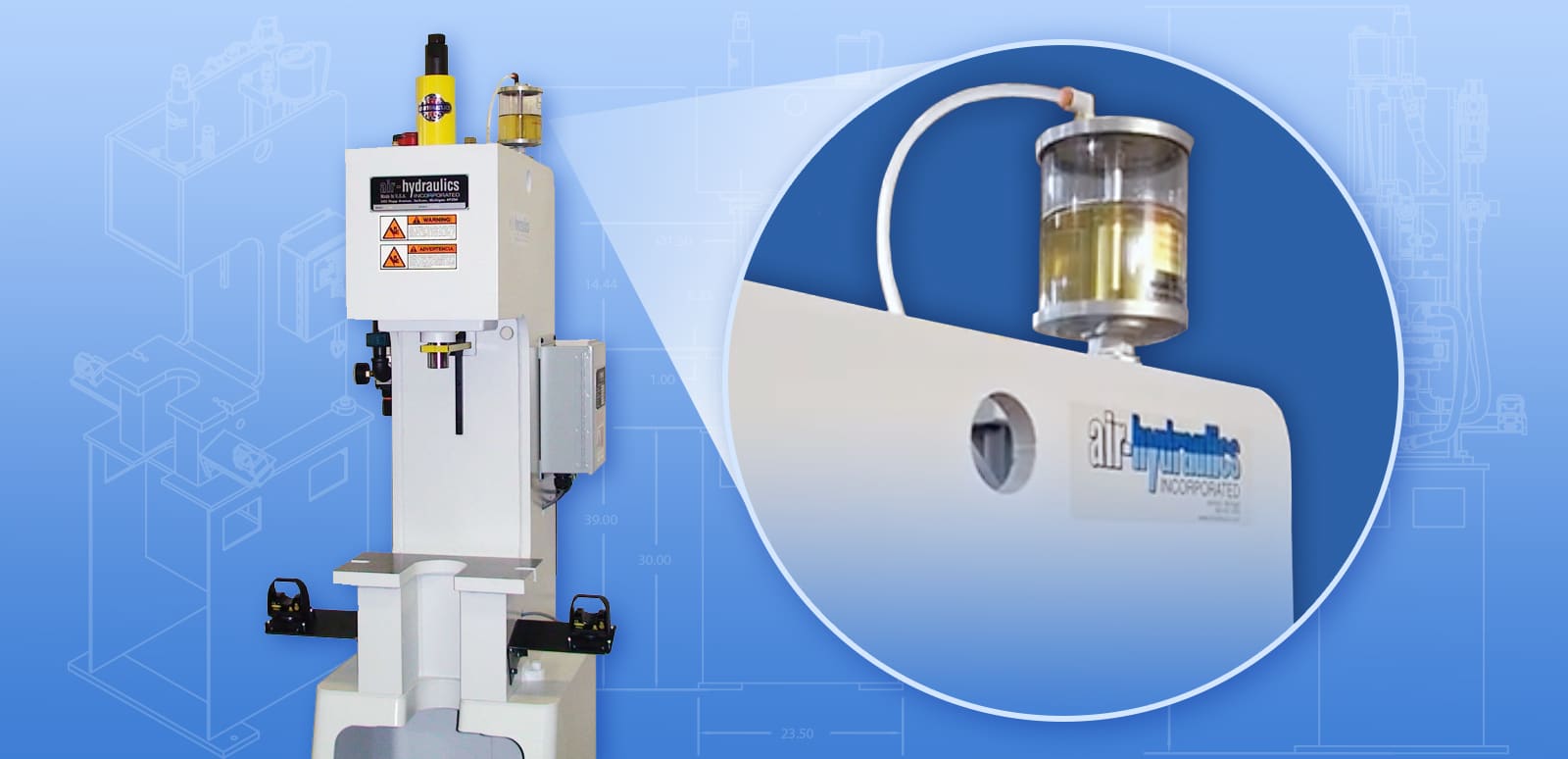
If your Air-Hydraulics C-Series Press isn’t performing consistently, or it is not reaching the proper pressure, air may be trapped in the hydraulic system, causing cavitation. Bleeding the press can eliminate the cavitation and restore the press to normal. Let’s take a look at how you can identify cavitation and the specific operation for bleeding the C-Series Air-Hydraulics press.
| Already know cavitation is the issue? Jump right to the bleeding procedures. |
Identify Cavitation
First, it’s important to identify that cavitation is indeed the problem that your press is experiencing. If another issue is at work, bleeding the press won’t be very effective in solving the problem. Or, it might provide only a temporary solution, and cavitation may occur again if the source of the problem isn’t fixed.
Check valves, seals, and other wear parts to be sure they are in good working order. Check that the machine’s fasteners are secure, and haven’t loosened from repeated use. Monitor the oil reservoir at the top of the press, check the lines, and make sure all parts are working properly.
What Does Cavitation Look Like?
How do you know if your press is experiencing cavitation? As previously mentioned, cavitation occurs when air becomes trapped in the hydraulic system. These air bubbles might get trapped if something interrupts the flow path, such as a plugged filter. Or, if air escapes through a damaged seal, it can introduce air pockets. Damaged or defective seals can cause repeated cavitation.
Cavitation may be occurring if you notice that the smooth movement of the press has become inconsistent. Or, the system might repeatedly fall short of the required pressure. You might also notice a high-pitched whining sound from the press, which occurs as the air pockets collapse and produce a shock-wave. These shockwaves will damage the press over time. The most obvious indicator is that the oil reservoir may appear full or even overflowing. In any of these situations, air cavitation may be the culprit.
Signs of Cavitation:
- Erratic or inconsistent press cycle
- Failure to meet required pressure
- High-pitched whining
- Full or overflowing hydraulic oil reservoir
Aeration is similar to cavitation, but not the same. Aeration is usually caused by an air leak on the suction side that causes outside air to enter the system. If aeration occurs, you might notice an irregular whining sound, or a grinding sound, or both.
What Can Cause Air Cavitation?
Here are a few things that cause air cavitation in the C-Series Air-Hydraulics Press and how to prevent the problem from recurring
- Damage or worn-out seals, air builds into the hydraulic system
- Solution: replace seals
- Drifting of the press ram, allowing the ram piston and booster piston to not be in sync. This will cause a suction or vacuum effect and drain the oil reservoir
- Solution: block up ram and or tooling when the press is not in use for a long period of time or when air is shut off to the machine.
- Press ram getting stuck in the down position when the press cycle is returning. This also causes a suction or vacuum effect, pulling air into the system.
- Solution: bleed press system
- Oil reservoir completely drains, pulling air into the hydraulic system
- Solution: bleed system and refill reservoir. Add preventative maintenance schedule to check reservoir periodically
How to Bleed Your C-Series Air-Hydraulics Press
Collect Your Materials
Once you’ve identified that cavitation is the problem, you’ll need to gather your materials. To bleed the press, you’ll need the following:
- DTE 24 hydraulic fluid or equivalent
- Wrench
- Shop rags
Lock-Out, Tag-Out
Before performing any maintenance or repair procedures on the press, it’s critical to perform lock-out, tag-out (LOTO) procedures on the control and airline connection. LOTO procedures prevent the machine from accessing energy of any kind, so it is impossible for the machine to function while you are working on it. In addition to lock-out, tag-out procedures, it’s also important to ensure that the ram is fully in the “up” position.
Bleed the Press
Now that it’s safe to work with the press, you can bleed the press. First, locate the cap on the top of the booster, near the back of the press and slowly remove the cap from the booster. When you do, and cavitation is present, you may see the oil start to bubble and foam. You might also see the oil reservoir begin to drain, though you should not let the reservoir drain completely. If the reservoir drains completely, it can introduce additional air into the system. Wait for about five to ten minutes, until the foaming or bubbling stops. Then, refill the booster with Mobil DTE 24 hydraulic oil or equivalent. Then refill the reservoir to the fill line. Replace the cap, and make sure it is secure. Then, remove the lockout tag, and cycle the press several times. If the oil reservoir raises, then you’ll have to repeat the bleeding procedures. If the oil reservoir drains, top it off to the fill line.
Bleeding the press will remove the air that has been trapped in the hydraulic system. To safely bleed the press and avoid damage to the system, this procedure must be done with care. This video will take you through the steps to bleed your C-Series Air-Hydraulics Press.
Gather materials (wrench, shop rags, and Mobil DTE 24 Hydraulic oil) and go through the following steps:
- Follow standard lock out, tag out procedures
- Locate the cap on the top of the booster, on the back of the press
- Slowly remove the cap on the fitting
If air is in the system, oil will begin to bubble and foam from the top of the booster. The oil reservoir may also begin to drain – do not let the hydraulic oil completely drain out, as this will cause additional air to be pulled into the system) - Refill the booster with hydraulic oil to the top of the cylinder head after the system is stable and no more foaming or bubbling is occuring (about 5-10 minutes)
- Also, refill the reservoir half way or to the fill line
- IMPORTANT: Make sure the cap is replaced and fully tightened before operating
- Remove lock out tag out and cycle the press several times
- Look for continued issues or rising or draining oil levels from the reservoir; if indicators of cavitation continue, you may need to repeat the bleeding procedure
- If you have to repeat the bleeding process several times, you may have worn out seals that need to be replaced.
If you experience any issues with the bleeding procedure or need replacement seals or parts for your C-series press,we would be happy to help. Please contact us on our site or call 517-787-9444 for assistance.
Troubleshooting
If the press continues to operate inconsistently, or if you notice the oil reservoir rises or falls, try repeating the bleeding procedure. Also, check the integrity of the seals. If your press continues to experience issues after the bleeding procedures have been followed, or is not performing properly, Air-Hydraulics can help. Contact us for more information on the C-Series press, or other press models.
Don’t have a C-Series Air-Over-Oil Press?
Take a look at this energy efficient hydraulic press alternative for industrial applications requiring 2.5 to 15 tons for force.